The purpose of this project is to have blurred picture which can be done when the object is in motion. There are 2 ways, either to have a a moving object with a still background or by following the object, making the background blurred. The photos below are some of my examples. Enjoy!
This was taken when I was at chinese school. My photography teacher calls this the souless birds.
(sorry for the scratches on the pictures, I think dust got in the way when the film was drying)

Title: I Believe I can Fly~ (I believe I can touch the sky...)
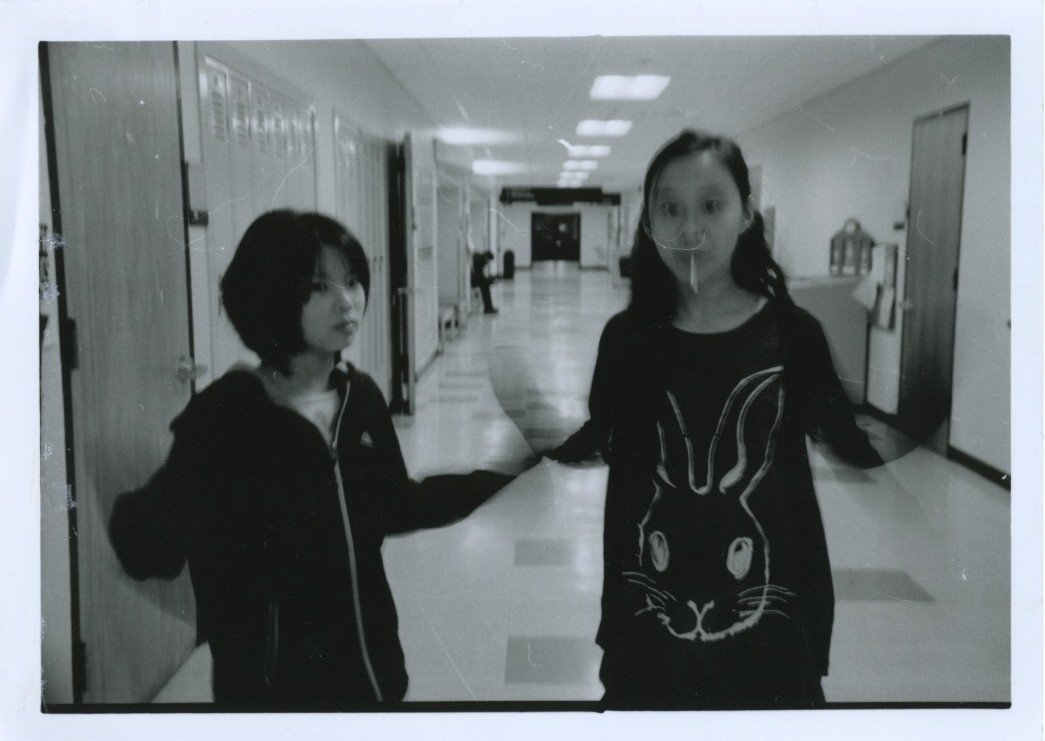
This again was taken from Chinese school, it was of my 2 friends. If you haven't noticed, there are actually 2 people in the picture, one in front and the other behind flapping their hands. I just thought it was a cool idea. Next time I should try multiple people, I think the effect would turn out very cool.

Title: Floating Light
Inspired by the batman picture my photography teacher showed me, I decided to play around with the flashlight. Since my camera was a point and shoot camera, I wasn't sure how effective this technique would work but it seemed to work pretty well. For future projects, I'm thinking of having like a trippy light show with floating lights everywhere, you can call it Dancing Lights I guess, don't you think that would be a cool idea?

Title: The Chaos Around Us
This is my friend Qin Rei, she is the exchange student from China. This is an example of following the object with your camera. I just had Qin Rei swing back and forth, with me following her movements, hence the moving background. For me this was a very difficult process, one must really have steady hands and a good balance to achieve such an effect, especially trying to achieve in the result of having a clear object.

Title: Something Ominous
This is my friend Jess, I was at her house and she had this fake axe thing and I decided to take a picture of her while she was swinging it back and forth. you can sort of make out the movements of her hand on the side. I think it looks cool in a way that the axe looks as if it's spinning in a circle in front of her.


